Almost every business owner we speak to has used ChatGPT. Almost none of them have AI running inside the software their company actually depends on: the ERP, the CRM, the invoicing system, the support desk. There is a wide gap between "we tried the chatbot" and "AI does real work in our operations", and most of the confusion sits in that gap.
This guide is our attempt to close it. We will walk through the five building blocks that matter in 2026, explain what each one does in plain language, and show where it fits in a typical business. We will also explain how AI has changed the way we build software for clients, and what has stayed the same.
The AI Stack in One Paragraph
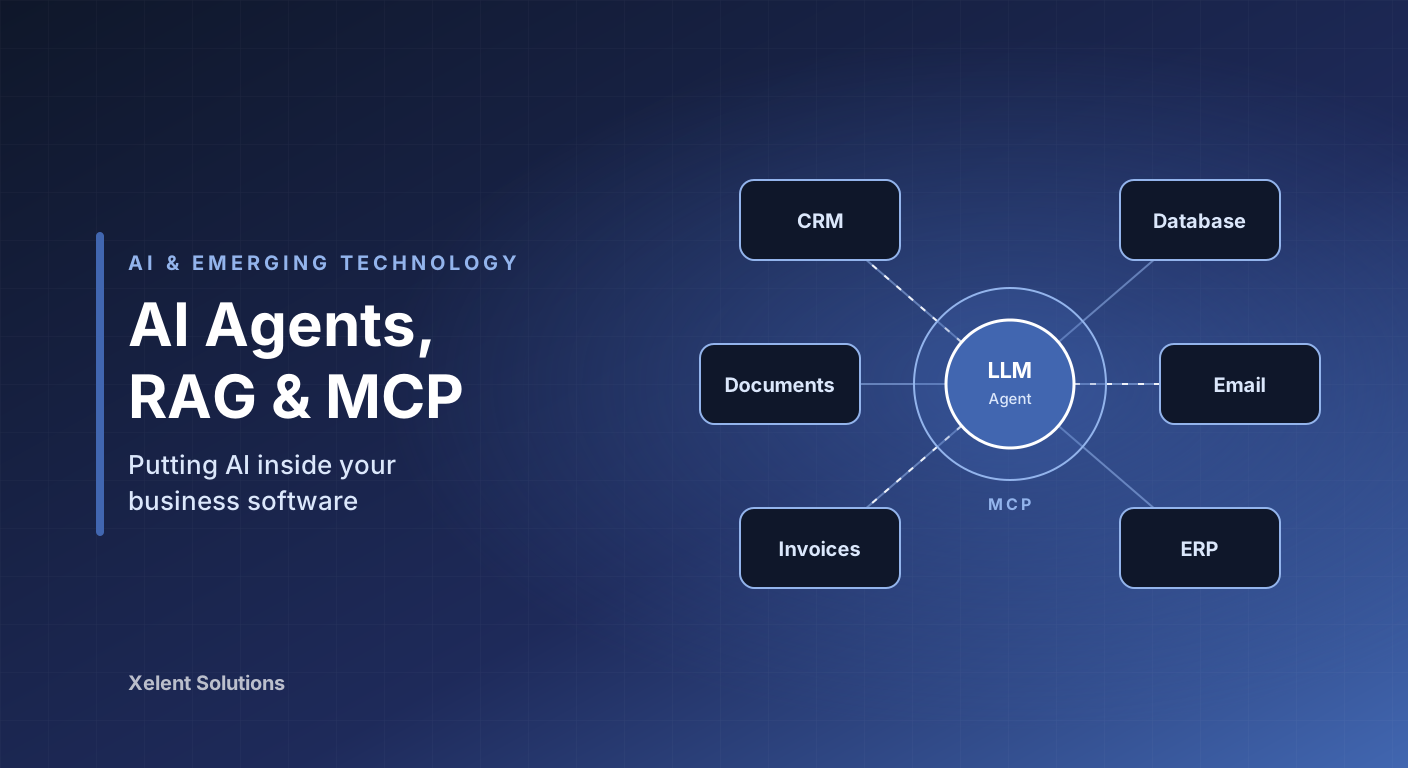
A large language model (LLM) is the engine. It reads text and produces text, and it is remarkably good at understanding, summarising, classifying and drafting. LLM integration means calling that engine from your own software instead of a chat window. Retrieval-Augmented Generation (RAG) gives the model access to your documents and data so it answers from your facts, not its training memory. AI agents let the model take a sequence of actions using tools, not just produce a single answer. Model Context Protocol (MCP) is the standard that connects models to those tools and data sources in a reusable way. Automation is the glue that decides when the model gets involved and what happens with its output.
Each layer builds on the one before it. You do not need all five to get value. Most companies should start with the first two.
LLM Integration: The Model as a Component
Integrating an LLM is technically simple. Your application sends a request to a model API with instructions and some input, and it receives text back. The hard part is not the API call. It is deciding where the model adds value and how to constrain it.
The tasks where LLMs are reliable today share a pattern: the input is text, the output is text or a structured decision, and a human could do the job in under a minute. Examples we have shipped for clients:
- Classification: routing incoming support emails to the right department, tagging expense receipts by category, flagging tenders that match a company's capabilities
- Extraction: pulling supplier name, amount, tax number and due date out of unstructured invoices and purchase orders
- Summarisation: turning a forty-message sales thread into a five-line handover note for the account manager
- Drafting: producing a first version of a quotation, a job description or a customer reply that a human then edits
Three practical rules keep these integrations reliable. Ask for structured output such as JSON so your code can act on it without parsing prose. Give the model a narrow job with clear instructions rather than a vague open-ended one. Decide up front what happens when the model is unsure, because it will be.
Cost and latency matter more than most teams expect. A model call takes one to ten seconds and costs a fraction of a rupee, which is nothing for a support ticket but adds up fast if you run it on every keystroke. Pick the smallest model that does the job well. For most classification and extraction tasks, that is not the most expensive model on the price list.
RAG: Teaching the Model Your Business
An LLM knows what was in its training data. It does not know your leave policy, your product catalogue, your pricing rules or what your operations manager decided last Tuesday. RAG solves this without retraining anything.
The mechanism has four steps:
- Chunk: your documents are split into passages of a few hundred words each
- Embed: each passage is converted into a numerical vector that captures its meaning
- Retrieve: when a user asks a question, the system finds the passages whose meaning is closest to the question
- Generate: those passages are handed to the model along with the question, and the model answers using only what it was given
The result is an assistant that answers "how many casual leaves do I get in my first year" from your actual HR handbook and cites the section. We have built this pattern for internal policy assistants, product knowledge bases for sales teams, and support bots that answer from a software product's own documentation.
RAG is where most first AI projects go wrong, and it is almost never the model's fault. The common failures are boring:
- Bad chunking: splitting a table or a numbered procedure across two chunks so the model never sees the whole thing
- Stale index: the handbook was updated in March and the assistant is still quoting the January version
- Ignored permissions: the finance director's salary spreadsheet is in the index and any staff member can ask about it
- No fallback: the model answers confidently when nothing relevant was retrieved, instead of saying it does not know
Get those four right and RAG is the highest-return AI investment available to a mid-sized company. Get them wrong and you have built a machine for producing plausible misinformation.
AI Agents: From Answers to Actions
A chatbot answers a question. An agent completes a task. The difference is that an agent can call tools, look at the results, decide what to do next, and repeat until the job is done.
Consider supplier invoice processing. A deterministic script can read an invoice if it always arrives in the same format. An agent can handle the messy reality: read the PDF, extract the fields, look up the supplier in the accounting system, notice the purchase order number does not match anything, search by amount and date instead, find the likely match, and put it in a review queue with a note explaining the discrepancy. Each of those steps is a tool call, and the model decides the order based on what it finds.
Agents are powerful and they are also the layer where discipline matters most. Our rules for production agents:
- Scope the tools tightly. An agent that reconciles invoices gets read access to suppliers and write access to a review queue. It does not get a general database connection.
- Keep a human on anything irreversible. Agents can draft, propose and prepare. Sending money, deleting records and emailing customers wait for a click.
- Bound the loop. Every agent has a maximum number of steps and a budget. A confused agent should stop and ask, not run until the API bill arrives.
- Log everything. Every tool call, every decision, every input. When an agent does something odd, and it will, you need to see exactly why.
Not every automation should be an agent. If the process has fixed steps and clean inputs, write normal code. It is cheaper, faster and predictable. Agents earn their place when the inputs are messy or the path varies from case to case.
MCP: The Connector Standard
Until recently, every AI integration was bespoke. If you wanted a model to read your CRM, you wrote custom glue for that model and that CRM. Switch models or add a second tool and you wrote it again.
Model Context Protocol changes this. MCP is an open standard, originally released by Anthropic and now supported across the major AI platforms and development tools, that defines how a model discovers and calls tools and reads data sources. You build one MCP server for your accounting system, and any MCP-compatible client can use it: a desktop assistant, a coding tool, a custom agent in your own app.
For a business this matters in two ways. First, the integration work you pay for is not locked to one vendor's model. Second, off-the-shelf MCP servers already exist for many common systems, so connecting an agent to your database, your file storage or your project tracker is often configuration rather than development.
We now build an MCP server as a standard deliverable alongside any system with an API. It turns the software into something a model can operate, which is quickly becoming as important as having a mobile app was ten years ago.
Automation: AI Where Judgement Is Needed, Code Where It Is Not
The most effective AI systems we have built are not "AI systems" at all. They are ordinary workflows with one or two model steps placed where a human used to apply judgement.
A hospital management system we maintain receives lab reports as scanned PDFs from external labs. The old process had a staff member reading each one and typing values into the patient record. The new process is a workflow: a scheduled job picks up new files, a model extracts the test names and values into structured data, ordinary code validates the numbers against expected ranges, anything within range is filed automatically, and anything unusual goes to a person with the original scan side by side. The AI step is one function in a pipeline of twelve, and that is why it works.
Design the deterministic parts first. Identify the exact points where a human currently reads and decides. Replace those points with a model call that returns a structured answer. Keep the confidence checks, the exception queue and the audit trail in ordinary code. This approach ships in weeks, not quarters, and it is much easier to explain to an auditor.
AI-Assisted Development: How We Build All of This
The tools above have also changed how we write software. Our engineers work with AI coding assistants for most of the day. Boilerplate, migrations, test scaffolding, API clients and first drafts of components are generated and then reviewed rather than typed from scratch. Debugging sessions that took an afternoon now often take twenty minutes, because the assistant can read the logs, the stack trace and the relevant code together.
For clients, the practical effects are shorter timelines on well-defined work and more budget left for the parts that need human thought: understanding the business problem, designing the data model, deciding what the system should refuse to do.
What has not changed is worth saying plainly. AI-generated code is reviewed by a senior engineer before it is merged, every time. Tests are still written and still have to pass. Architecture decisions are still made by people who will be accountable for the system in three years. AI has made a good engineer roughly twice as productive. It has not made an inexperienced one into a good one, and teams that assume otherwise ship faster for exactly one release.
Where to Start
If your company has no AI in production yet, this is the sequence we recommend:
- Pick one workflow where staff spend hours reading and re-typing text. Invoices, support tickets, CVs and lab reports are the usual candidates.
- Measure it first. How many items per week, how long each one takes, what the error rate is. Without a baseline you cannot prove the project worked.
- Build the narrowest useful version. One document type, one output, one exception queue. Resist adding a chat interface until the core extraction is reliable.
- Keep a human in the loop for the first month, reviewing every output. Then move to reviewing exceptions only once the accuracy is proven.
- Add RAG or an agent only when the simple version has hit a ceiling. Most workflows never need to go further than step four.
Mistakes We See Repeatedly
- Starting with a customer-facing chatbot, the highest-risk and lowest-return place to begin
- Sending sensitive data to a model API without checking where it is processed or stored
- Treating the model's confident tone as evidence of accuracy
- Skipping evaluation, so nobody knows whether last month's prompt change made things better or worse
- Buying an "AI platform" before identifying a single concrete task for it
The Bottom Line
AI in 2026 is not a research project. LLM integration, RAG, agents, MCP and workflow automation are mature enough to run in production at a company of thirty people, and the tooling to build them has never been more accessible. The businesses getting value are not the ones with the biggest budgets. They are the ones that picked one boring, expensive, text-heavy process and fixed it properly.
If you have a process like that and want to talk through what AI could realistically do with it, we are happy to have that conversation. We have been building business software since 2013, and putting intelligence inside it is the most useful thing we have learned to do in years.